

Free download the latest version of Windows 7 Games for Windows 11/10/8 from getintomm.com. Windows 7 Games for Windows 11/10/8 သည် Microsoft Windows 7 တွင် ပါဝင်ခဲ့သော classic built-in games များကို Windows 11, Windows 10 နှင့် Windows 8 တွင် ပြန်လည်အသုံးပြုနိုင်အောင် ဖန်တီးထားသော classic games package တစ်ခုဖြစ်ပါသည်။ Solitaire, Spider Solitaire, FreeCell, Minesweeper, Chess Titans, Mahjong Titans နှင့် Purble Place ကဲ့သို့သော နာမည်ကြီး Windows games များကို မူရင်း Windows 7 experience အတိုင်း ပြန်လည်ကစားနိုင်ပါသည်။ Windows 7 Games for Windows 11/10/8 သည် lightweight, fast performance နှင့် offline gameplay ကို အဓိကထားထားသော software ဖြစ်ပြီး internet connection, Microsoft Store account သို့မဟုတ် additional gaming platform မလိုအပ်ပါ။ Classic Windows games များကို နှစ်သက်သူများ၊ old Windows experience ကို ပြန်လည်ခံစားလိုသူများနှင့် simple entertainment အတွက် အသုံးပြုလိုသူများအတွက် အထူးသင့်တော်ပါသည်။
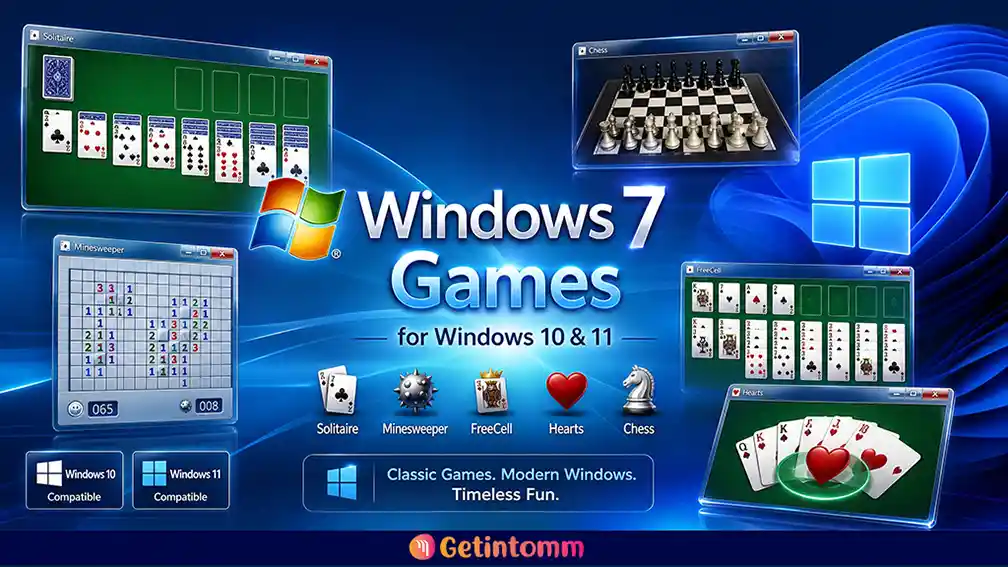
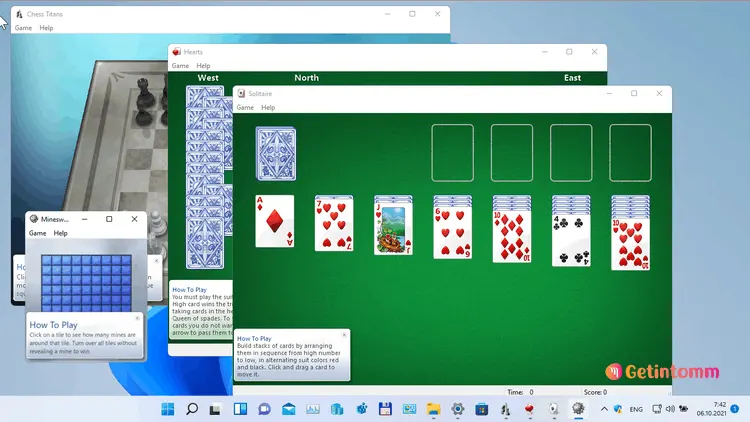
Download Windows 7 Games for Windows 11/10/8 and bring back classic Microsoft games like Solitaire, Minesweeper, Chess Titans, and Mahjong Titans on modern Windows PCs. (Windows 7 Games Package သည် Windows 11/10 တွင် ဖယ်ရှားထားသော classic games များကို ပြန်လည်အသုံးပြုနိုင်စေပါသည်။)
Windows 7 Games for Windows 11 ဆိုတာဘာလဲ? (Overview)
Windows 7 Games for Windows 11/10/8 သည် WinAero နှင့် Digital Citizen တို့မှ Modern OS များအတွက် အထူးပြုပြင်ပေးထားသော Classic Games Collection ဖြစ်ပြီး Windows 8, Windows 10 နှင့် Windows 11 တွင် ပြန်လည်အသုံးပြုနိုင်ရန် ပြုလုပ်ထားသော Package ဖြစ်ပါသည်။ Windows 8 နောက်ပိုင်း Microsoft မှ Built-in Games များကို ဖယ်ရှားခဲ့သော်လည်း ဒီ Package ဖြင့် Solitaire, Spider Solitaire, FreeCell, Minesweeper, Chess Titans နှင့် Mahjong Titans စသည့် နာမည်ကြီး Games များကို ပြန်လည်ရရှိနိုင်ပါသည်။ နောက်ဆုံးထွက် Version တွင် Windows 11 နှင့် Windows 10 Compatibility ပိုမိုကောင်းမွန်လာပြီး Internet မလိုအပ်သော Offline Games များဖြစ်သောကြောင့် အချိန်မရွေး အသုံးပြုနိုင်ပါသည်။
Essential Tools: Game ကစားရာတွင် Windows Performance ပိုမိုကောင်းမွန်စေရန် IObit Advanced SystemCare Pro နှင့် Driver များကို အမြဲ အသစ်ဖြစ်နေစေရန် Driver Booster Pro တို့ကိုလည်း တွဲဖက်အသုံးပြုနိုင်ပါသည်။
Pros and Cons (အားသာချက်နှင့် အားနည်းချက်များ):
ဤ Software တွင် ကြော်ငြာများ လုံးဝမပါဝင်ခြင်း၊ Microsoft Account ဝင်ရန် မလိုခြင်းနှင့် မူရင်း Windows 7 UI အတိုင်း ရရှိခြင်းဟူသော အားသာချက်များ ရှိပါသည်။ သို့သော် Internet Checkers ကဲ့သို့သော Online Multiplayer Games အချို့မှာ Server များ ပိတ်ထားသဖြင့် Offline Games များကိုသာ ချောမွေ့စွာ ကစားနိုင်မည် ဖြစ်ပါသည်။
Key Features of Windows 7 Games for Windows 11/10/8
- Classic Windows 7 Games Collection: Windows 7 တွင် ပါဝင်ခဲ့သော Original Microsoft Games များကို ပြန်လည်အသုံးပြုနိုင်ခြင်း။
- Solitaire & Card Games: Solitaire, Spider Solitaire နှင့် FreeCell စသည့် Classic Card Games များ ပါဝင်ခြင်း။
- Classic Puzzle Games: Minesweeper နှင့် Mahjong Titans ကဲ့သို့သော Puzzle Games များကို ကစားနိုင်ခြင်း။
- Chess Titans Included: Windows 7 ၏ နာမည်ကြီး Chess Titans Game ကို ပြန်လည်အသုံးပြုနိုင်ခြင်း။
- Purble Place Support: Family Users များအတွက် သင့်တော်သော Purble Place Game ပါဝင်ခြင်း။
- Offline Gameplay: Internet Connection မလိုအပ်ဘဲ Games များကို အသုံးပြုနိုင်ခြင်း။
- No Ads & No Account Required: ကြော်ငြာများနှင့် Microsoft Account မလိုအပ်ခြင်း။
- Windows 11/10 Compatibility: Modern Windows Operating Systems များတွင် အဆင်ပြေစွာ အသုံးပြုနိုင်ခြင်း။
- Lightweight Installation: Storage နေရာအနည်းငယ်သာ အသုံးပြုပြီး လျင်မြန်စွာ Install ပြုလုပ်နိုင်ခြင်း။
Included Games
Windows 7 Games for Windows 11/10/8 Package တွင် –
- Solitaire
- Spider Solitaire
- FreeCell
- Hearts
- Minesweeper
- Chess Titans
- Mahjong Titans
- Purble Place
- Internet Checkers
- Internet Spades
- Internet Backgammon စသည့် Classic Windows Games များ ပါဝင်ပါသည်။
Frequently Asked Questions (မေးလေ့ရှိသော မေးခွန်းများ)
မေး – Windows 7 Games for Windows 11 မှာ အလုပ်လုပ်ပါသလား? ဖြေ – ရပါသည်။ Windows 11, Windows 10 နှင့် Windows 8/8.1 စနစ်များတွင် အဆင်ပြေစွာ အလုပ်လုပ်ပါသည်။
မေး – ဒီ Games တွေကို Internet လိုအပ်ပါသလား? ဖြေ – မလိုအပ်ပါ။ Games အားလုံးကို Offline Mode ဖြင့် လွတ်လပ်စွာ ကစားနိုင်ပါသည်။
မေး – Windows 7 Game’s Package က Free ဖြစ်ပါသလား? ဖြေ – ဟုတ်ပါသည်။ Freeware ဖြစ်ပြီး အခမဲ့ အသုံးပြုနိုင်ပါသည်။
Technical Details & System Requirements
Windows 7 Games for Windows 11/10/8 ကို Download မပြုလုပ်မီ မိမိ၏ PC နှင့် ကိုက်ညီမှုရှိမရှိ စစ်ဆေးပါ။
- Software Name: Windows 7 Games for Windows 11/10/8
- Developer: WinAero / Digital Citizen
- Version: Latest Version 2026
- Category: Classic Games Collection
- License: Freeware (Standalone Setup)
- Architecture: 32-bit & 64-bit Support
- Operating System: Windows 11, Windows 10, Windows 8 / 8.1
- Processor: 1 GHz or faster processor
- RAM: 1 GB or more
- Storage: 100 MB available space
How to Install & Setup (တပ်ဆင်နည်းလမ်းညွှန်)
- Installer ကို Download ပြုလုပ်ပါ။
- ZIP/RAR File ဖြစ်ပါက Extract ပြုလုပ်ပါ။
- Setup File ကို Run as Administrator ဖြင့် ဖွင့်ပါ။
- Install ပြုလုပ်လိုသော Games များကို ရွေးချယ်ပါ။
- Installation Wizard အတိုင်း ဆက်လက်လုပ်ဆောင်ပြီးပါက Start Menu မှ Games များကို ဖွင့်၍ စတင်ကစားနိုင်ပါပြီ။
Download Windows 7 Games for Windows 11/10/8
Download the latest Windows 7 Games for Windows 11/10/8 and restore the classic Microsoft gaming experience on your Windows PC.Classic Windows 7 Games များကို Windows 11 နှင့် Windows 10 တွင် ပြန်လည်အသုံးပြုနိုင်ရန် ဒီ Package ကို Download ပြုလုပ်ပါ။


